
When a new shopkeeper hears about SunoPaisa, a sensible question is: “Is SunoPaisa safe?” Another question comes immediately after: “Will it need my bank password?” For a merchant who works hard for each rupee, these are more important than a fancy application screenshot.
Quick answer: SunoPaisa is a notification-announcement utility for Android, published through Google Play by VoxaGrid. To read supported incoming payment notifications, it requests Android Notification Access. It does not need your wallet PIN, OTP or bank password for payment announcements. Review the permission and privacy information before enabling it, and verify important payments in the official payment account.
Why does a payment speaking app need permission?
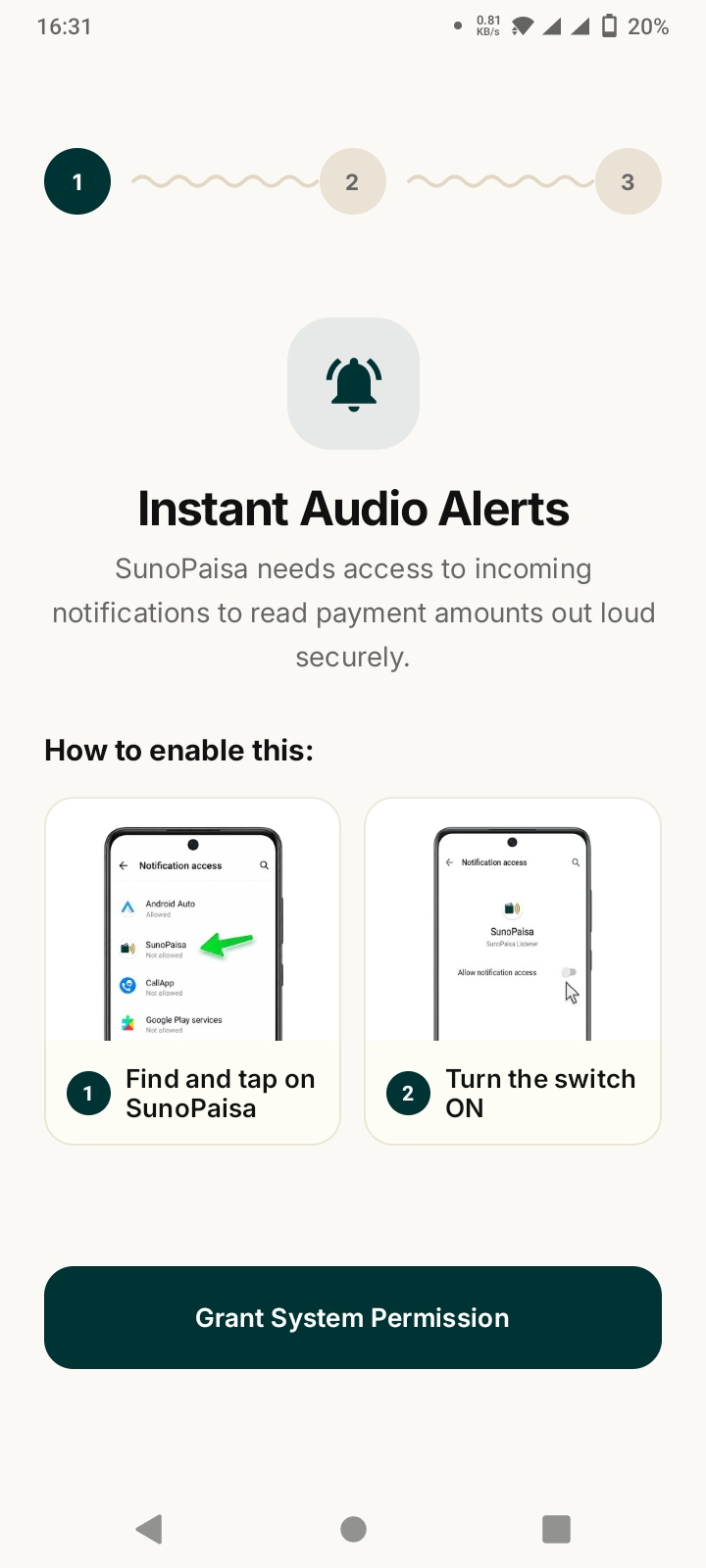
Android apps do not automatically read notifications from all other apps. To announce selected incoming alerts, SunoPaisa must be allowed to see the notification information Android delivers. That is what the Notification Access setting controls.
A notification may contain sensitive information. For that reason, granting notification access should always be an informed decision. An understandable privacy explanation, an official app download source and an option to turn off the permission are all important.
Does SunoPaisa require JazzCash or Easypaisa login details?
No bank or wallet login is required for its notification announcement feature. You should not give your JazzCash PIN, Easypaisa password, bank OTP or other banking secrets to someone offering to set up a “soundbox app.”
When you use SunoPaisa, keep your existing banking app as the authority for your real account. The speaking app does not receive or transfer money on behalf of the bank.
How can I make a safe installation decision?
- Download from the official SunoPaisa listing on Google Play.
- Look at the app name, publisher and permissions rather than trusting a random forwarded APK.
- Read the official product privacy information.
- Grant permissions one by one, only if you understand why the app needs them.
- Test the voice feature with compatible notifications on your own shop phone.
- Keep your screen lock, phone updates and wallet apps up to date.
Never let an unknown person take remote control of the shop's bank account during setup.
Can I rely on the voice to prevent screenshot scams?
An announcement helps you notice a message that has arrived on your phone. It can be a useful second signal while a customer is standing at the counter, but the message alone cannot independently confirm settlement.
If someone shows a payment screenshot, do not treat the screenshot—or an absent voice alert—as final evidence. For expensive purchases or disputes, check the official wallet or bank transaction history.
The State Bank of Pakistan offers official information about Raast person-to-merchant payments, but SunoPaisa is not itself a Raast acquiring service.
Can other people see my notifications?
Android Notification Access is a sensitive permission because notification text may include private messages. Review the permission disclosure and privacy policy to understand how the product handles data. If you no longer want it to receive notifications, revoke Notification Access in Android Settings.
For a shared shop phone, also think about who can unlock the device and see the transaction history. Good shop practices matter alongside app features.
What makes a payment utility trustworthy?
Look for an identifiable developer, an official website, accessible support, clear pricing and an app that describes what it does accurately. SunoPaisa has an official website, Google Play listing, contact page and published Business Mode plans.
The best proof of usefulness is to run the free trial on the phone that actually receives your shop's payments.
Frequently asked questions
Is SunoPaisa an official JazzCash or Easypaisa app?
No. SunoPaisa is an independent Android application developed by VoxaGrid.
Does it ask for OTP or bank PIN?
Not for its notification-speaking feature. Never share bank secrets with anyone claiming to represent the app.
Why does it need Android Notification Access?
To read selected compatible notifications and announce payment information.
Does it have a free plan?
Yes. The first 50 voice alerts each month are free. See what is included.
Does a spoken payment mean money has definitely settled?
A voice repeats supported notification information, not a separate settlement check. Use your official account for confirmation.
Can I turn off notification access later?
Yes, Android allows you to manage and revoke notification access in device settings.
Where can I contact the real team?
Use the official contact page and avoid phone numbers or payment instructions received from unknown accounts.
The sensible way to try it
Install from Google Play, understand the permissions and test the app at your real counter before upgrading. Read our first-time setup guide and plan comparison when you're ready.